Note: Certain details, visuals, and data have been modified or omitted to comply with confidentiality and NDA agreements.
The stakes
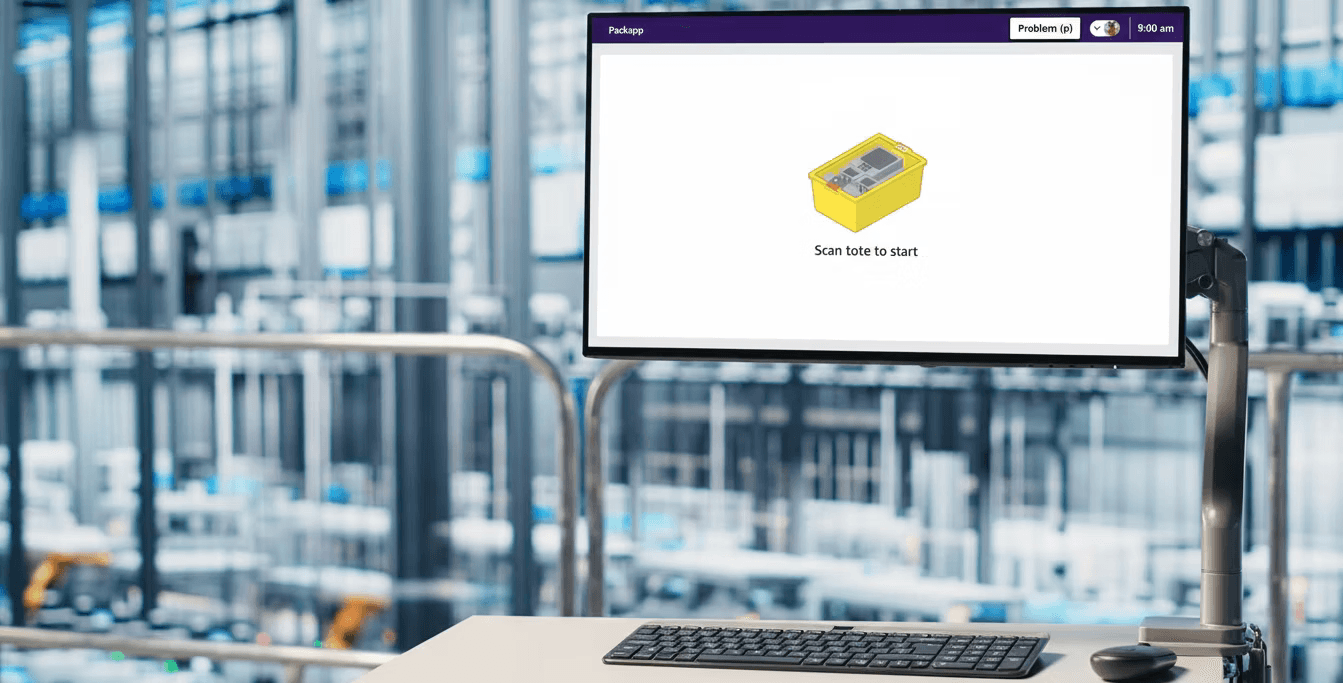
Amazon's fulfillment centers process roughly 50 million packages every day. The associates doing that work spend their entire shift staring at a single piece of software: PackApp. It tells them what to scan, what box to use, what labels to apply, and when a shipment is complete.
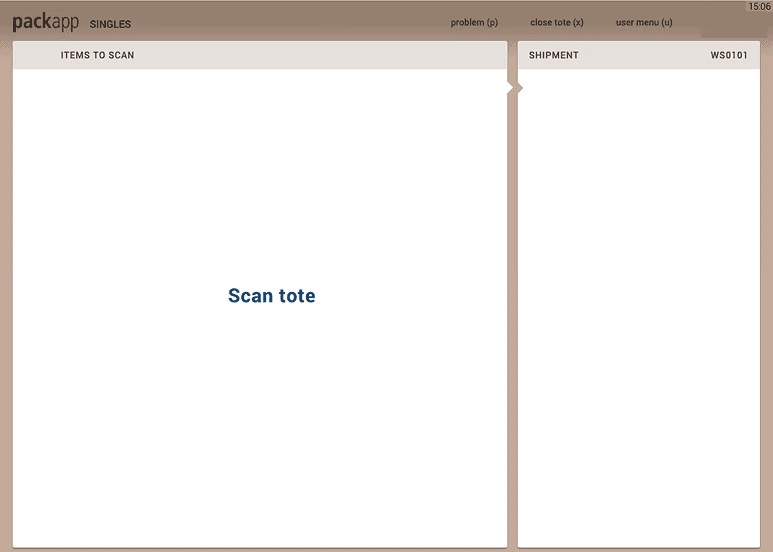
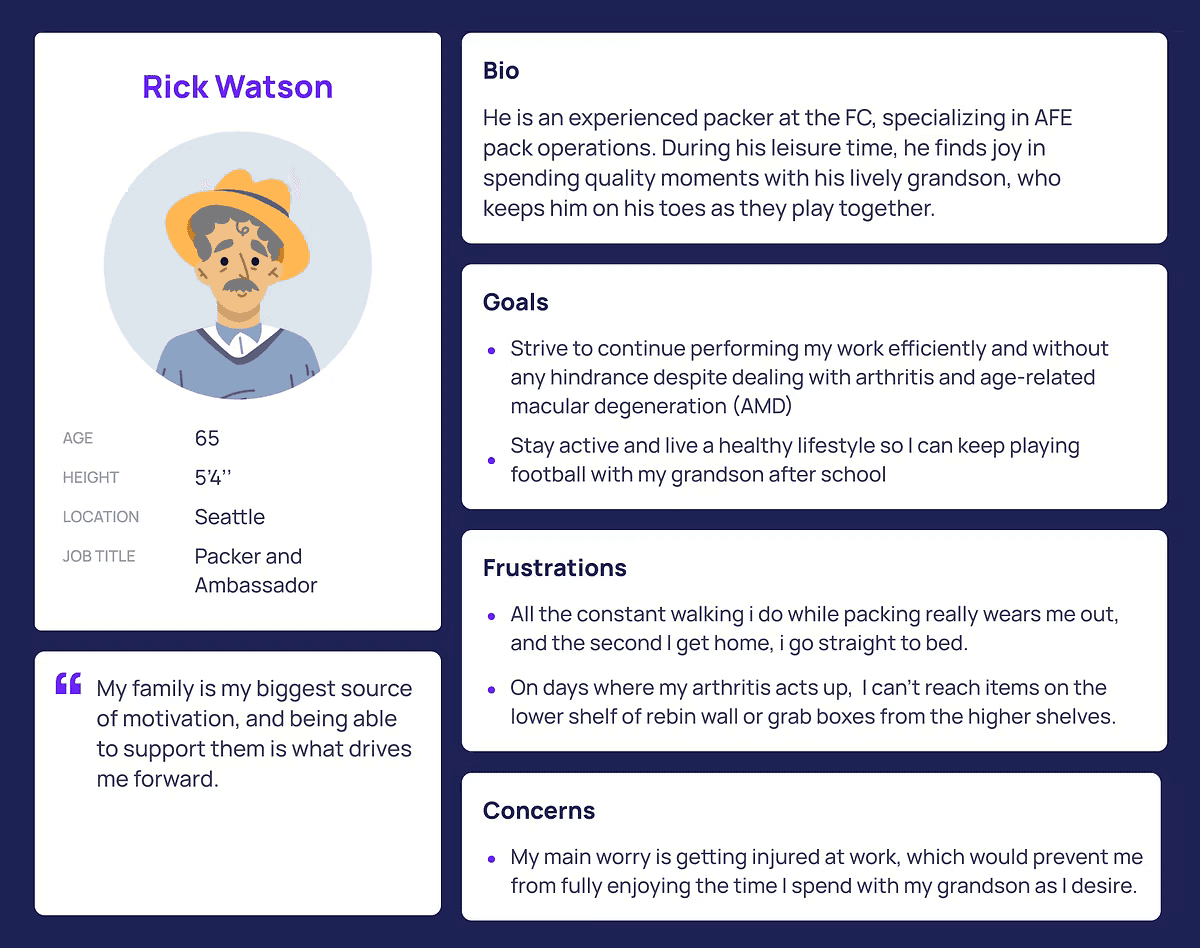
PackApp hadn't been redesigned since 2013. In a decade, the workforce had diversified dramatically. Associates spoke dozens of languages. They had varying levels of tech literacy. Many had physical disabilities. The app had none of that in mind.
The numbers told the story clearly. Pack Singles variable cost had climbed from $0.26 to $0.38 per unit since 2017. New associates needed 88 hours to reach veteran proficiency in Pack compared to 43 hours in Pick. Recordable injury rates in Pack were the highest of any process path in the network. Exit surveys from 30,000 associates showed nearly half cited their work environment as a primary reason for leaving.
The app wasn't just outdated. It was causing measurable business damage and leadership was beginning to understand that not changing it was the bigger risk.
The research: seeing the real problem
Before designing anything, I needed to understand what was actually broken. I co-led a 12-week discovery phase that included visits to 12 fulfillment centers across North America and Europe, heuristic evaluations of three core pack process paths, stakeholder interviews across 6 Amazon teams, and user testing with 104 Prime customers across 6 countries.
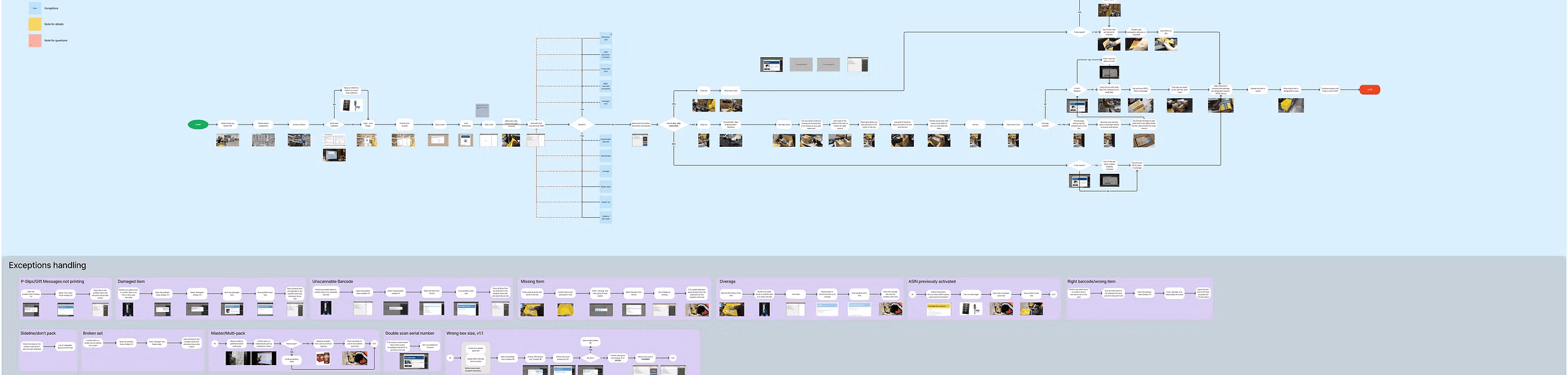
I also conducted a full UI audit — mapping every screen across 20+ pack modes, cataloging components, identifying redundancies, and building what I called an Associate Map (Blueprint): a complete view of every digital and physical step a packer takes in a single shift.
What I found wasn't just a visual problem. It was a cognitive load problem at industrial scale.
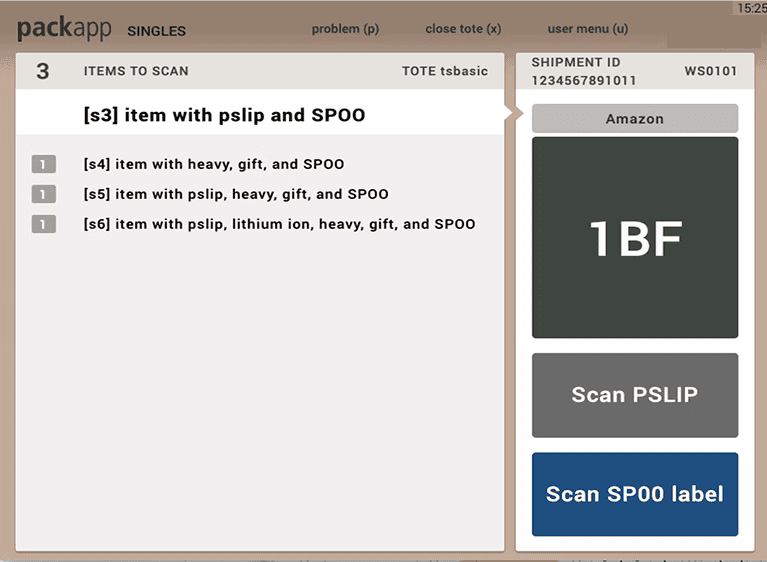
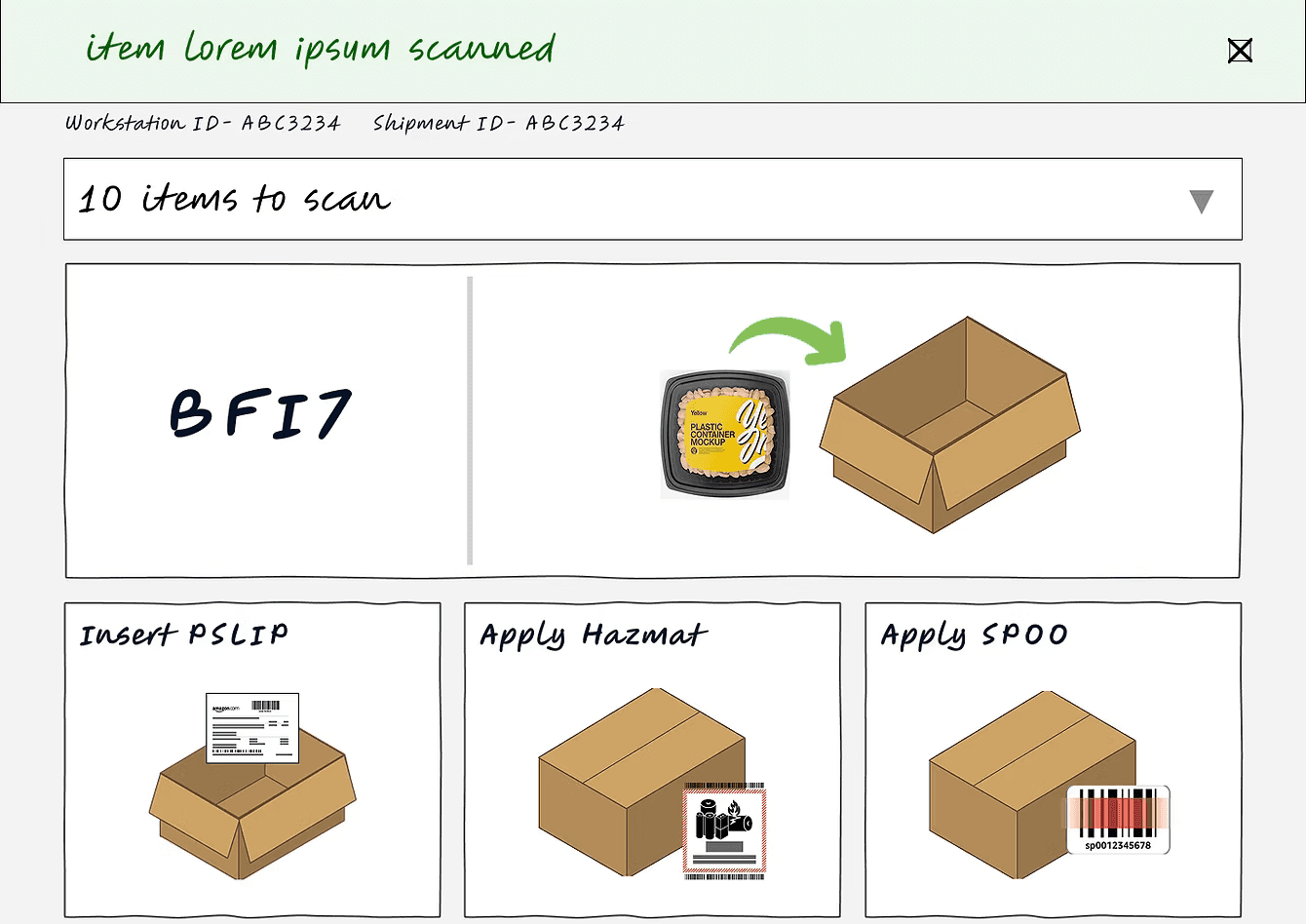
The existing interface forced packers to read cryptic alphanumeric codes ("1BF") with no visual context, split their attention across two competing columns of information simultaneously, memorize which of 20+ pack modes applied to their station that day, and rely on training memory for steps the app didn't support at all.
One finding in particular stuck with me: associates weren't making errors because they were careless. They were making errors because the interface was designed for a database engineer, not a human being processing 400 packages in a high-noise warehouse environment.
The central design challenge: 20+ modes into one
Building on insights from the research and discovery phase, I led the design and ideation process for PackApp 2.0, focusing on the five high-impact pack modes that were most critical to efficiency and global consistency. The goal of this phase was to explore potential solutions that would make the interface more intuitive, reduce friction, and support faster onboarding for packers across multiple regions. My approach emphasized collaboration, iteration, and alignment with cross-functional teams to ensure designs addressed both user needs and operational constraints.
To start, I facilitated workshops with stakeholders from ACES, CPEX, WHS, WW ENG, and the Design team. Using whiteboarding and collaborative ideation sessions, we mapped out happy paths, exceptions, and edge cases for each workflow. These sessions aligned teams on goals and constraints and ensured that potential solutions would accommodate real-world pack scenarios across sites in North America, Europe, and Japan.
I began translating insights into tangible designs through sketches and low-fidelity wireframes, iterating toward mid-fidelity designs based on stakeholder feedback. Each iteration incorporated findings from user interviews and heuristic evaluations, ensuring the designs addressed key pain points identified in research. This iterative, collaborative process allowed the team to refine concepts efficiently and move forward with confidence, setting the stage for the development of the high-fidelity prototypes presented in the final solution phase.
Decision that mattered most
PackApp had accumulated over 20 distinct pack modes over a decade. Each was a slightly different version of the same core workflow, built to accommodate variations in station type, region, fulfillment type, and process path. Every time Amazon added a process requirement, someone built a new mode instead of evolving the existing ones.
The result was a fragmented system that forced associates to re-learn the app every time they switched stations or cross-trained into a new role. Associates switching between modes were consistently the ones making errors. The inconsistency was the defect source, not a side effect.
The argument
My position was clear: the modes weren't fundamentally different. They were the same job — scan item, select packaging, complete
shipment — with variation in what specific actions were required. The underlying logic could be unified into a single adaptive UI that
surfaced only what was needed for the current task.
Leadership pushed back hard. Changing software used by 3 million associates every day felt catastrophic if something went wrong. Their concern was risk — what if the consolidation broke a workflow that worked?
I backed the hypothesis with evidence. Usability testing showed that associates who encountered unfamiliar modes made significantly more errors in the first 15 minutes — not because the task was harder, but because the UI pattern had shifted. The fragmentation itself was the failure mode. I brought that data directly to leadership and reframed the question: the risk wasn't in changing the system. The risk was in leaving a known defect source in place.
That shifted the conversation. We moved forward with consolidation.
The design decisions
One task per screen. The old interface split the screen into two competing panels. Associates had to context-switch constantly. The redesign put one primary action front and center, with everything else collapsed unless needed. The "Expand" affordance let power users access more, but the default state was radically simplified.
Replace codes with visuals. "1BF" means nothing to a new associate on day one. The redesign replaced alphanumeric box codes with illustrated box types showing actual dimensions and a directional placement indicator — "A1-PM5, Top right" with an arrow. This came directly from the heuristic evaluation: associates were selecting wrong boxes not because they didn't care, but because the instruction made no sense without training context.
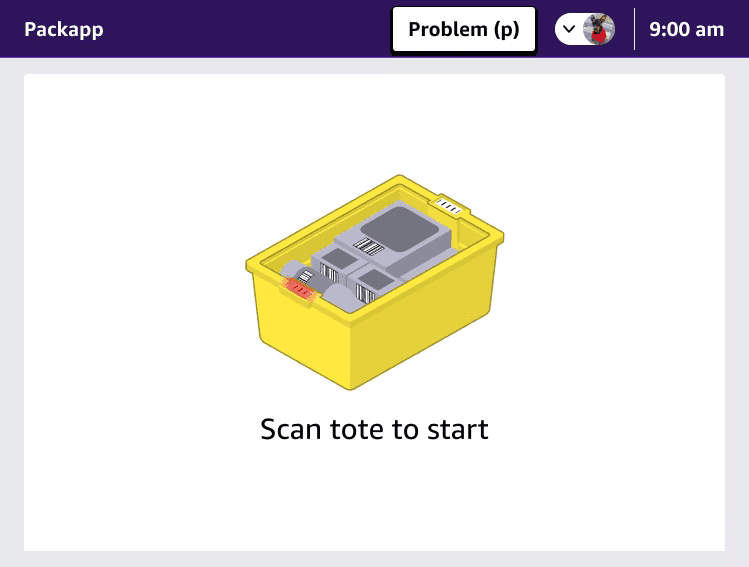
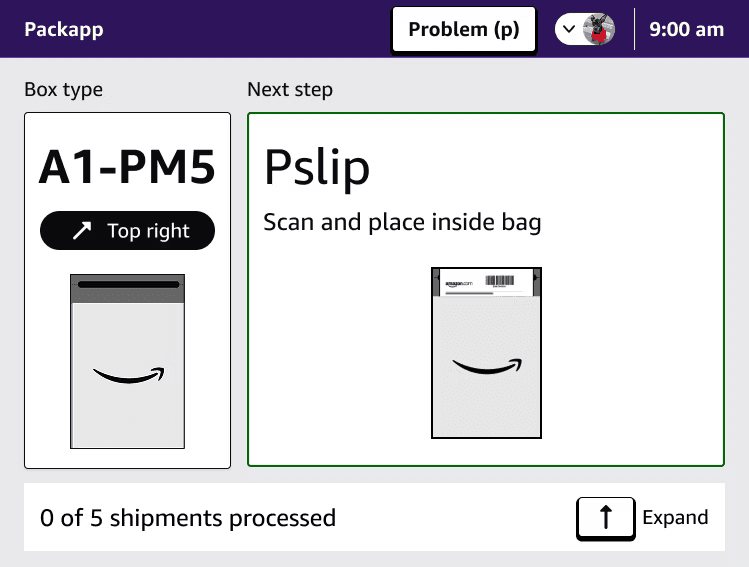
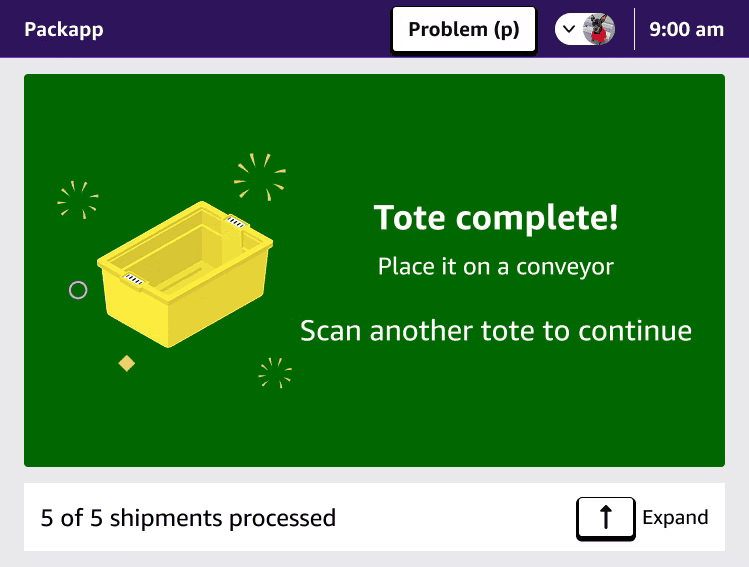
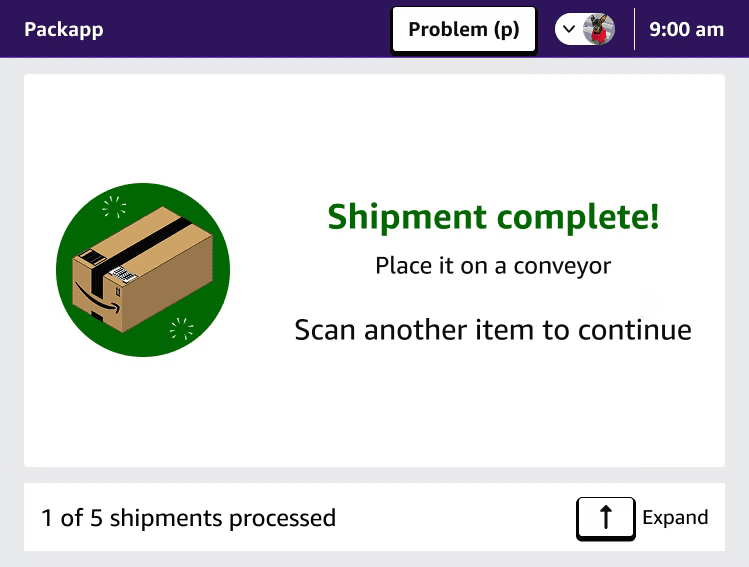
Visible progress. The old app had no sense of progress within a tote. Associates couldn't tell how close they were to completing a batch. A persistent counter — "0 of 5 shipments processed" — gave packers agency and pace. Something to work toward, 400 times a day.
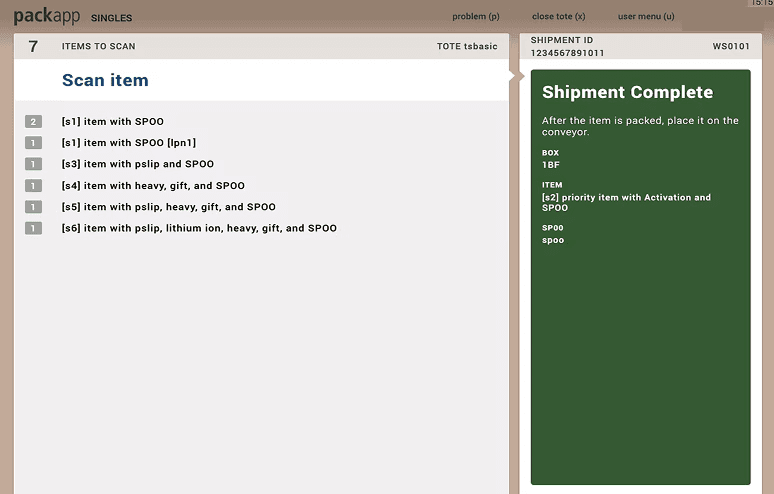
Completion states that feel human. When a packer finishes a shipment, the old app showed a dark green box with small text. The redesign gave them a moment of recognition — "Shipment complete!" with a clear illustration and explicit next instruction. When the full tote is done, a full-screen celebration. This wasn't decoration. It was a deliberate choice to acknowledge the work associates do hundreds of times per shift.
Directional illustrations for complex steps. Instead of text instructions for steps like PSLIP placement, illustrated guides showed exactly what to do and where. This was the single most impactful accessibility improvement — it worked across language barriers, literacy levels, and new-associate ramp-up without requiring any additional content localization.
Accessibility from the ground up. The redesign enforced a 7:1 color contrast ratio across all elements, a minimum 16px font size throughout, and introduced multi-language support at the UI level rather than as an overlay. People with low vision and non-English speakers finally had a first-class experience instead of a degraded one.
What shipped
The redesigned PackApp UI shipped to production fulfillment centers globally. The work fed directly into Amazon's 2024 operating plan, with $60.4MM in projected productivity savings tied to the improvements identified through this research. The design system I built became the foundation for the MSP team's continued development on the platform.
The work also fed directly into Amazon's three-year product roadmap: adaptive UI based on associate performance signals, human-robot interaction design as automation expands into FCs, and the north star vision of zero-touch packing — a system where design thinking is embedded at every layer of the stack.
What I learned
"At this scale, design is risk management."
Every decision I made affected millions of people doing physical work in high-stakes environments. That changes how you think about what good design means. It's not about elegance — it's about what happens at the tail end of the distribution. The associate who is 5 feet tall, packing for 8 hours in a second language, on their third station of the day. That person is your user. Design for them and you've designed for everyone.
The other thing I learned: seniority in design isn't about taste. It's about knowing when to make the business argument, how to build the evidence for it, and how to hold a position when leadership says the risk is too high. Sometimes the job is to show that the real risk is staying still.